Plan & Billing
Your organisation’s plan sets what it can use: its features, and limits such as the number of users and API keys. The Plan & Billing page shows your current plan and lets you change it. Open it from Plan & Billing under Settings in the sidebar.
Before you start
Section titled “Before you start”- Anyone signed in can view the page.
- To change the plan you need
identity.tenant.manage, which of the standard roles only Tenant Admin holds. Without it, the page reads “Ask a Tenant Admin to change your plan.” and the plans have no buttons.
See your current plan
Section titled “See your current plan”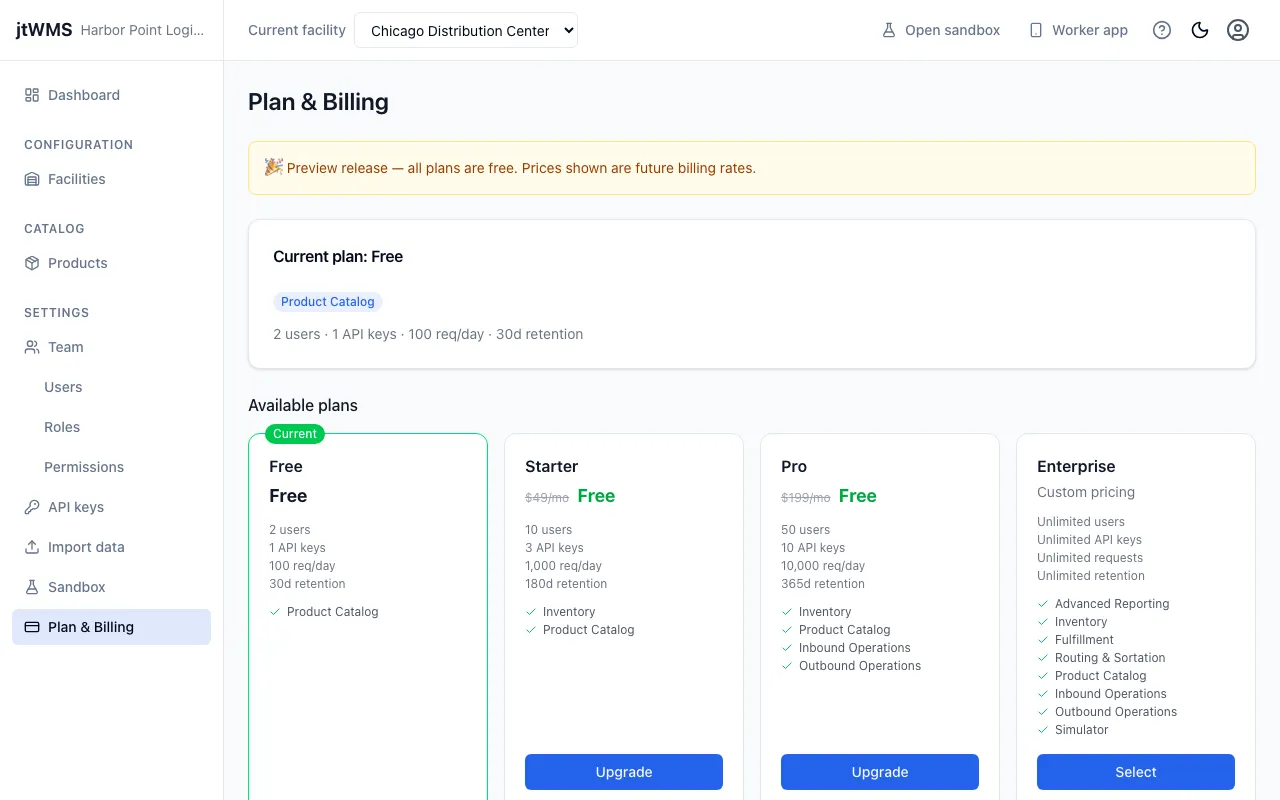
The Current plan: card shows your plan’s name, the features it includes, and its limits: users, API keys, API requests per day and data retention in days (such as “10 users · 3 API keys · 1,000 req/day · 180d retention”). A limit the plan doesn’t have reads “Unlimited”, such as “Unlimited users”.
Below it, Available plans lists every plan, with the one you’re on marked Current.
If a plan change left your organisation using more than the new plan allows, a banner reads “Your account is over plan limits:” followed by what is over, such as “users: 5 active, limit 2” or “api_keys: 3 active, limit 1”.
Change your plan
Section titled “Change your plan”- Under Available plans, find the plan you want.
- Click Upgrade on a plan that costs more, or Select on one that costs the same or less. Your current plan has no button.
- Unless the new plan costs less, the change applies at once. The page confirms with “Plan updated successfully.” A cheaper plan asks you to confirm first (see below).
If the change fails, the page reads “Failed to update plan. Please try again.”
Downgrade to a cheaper plan
Section titled “Downgrade to a cheaper plan”Choosing a cheaper plan asks you to confirm first.
- Click Select on the cheaper plan.
- Read the warning: “Downgrading may restrict access to features and resources beyond the new plan’s limits. Existing data will not be deleted.”
- Click Confirm downgrade, or Cancel to keep your current plan.
Related
Section titled “Related”- Team: the people who count towards your user limit
- API keys: the keys that count towards your API key limit
- Rate limits: how the daily API request limit applies