Allocation exceptions
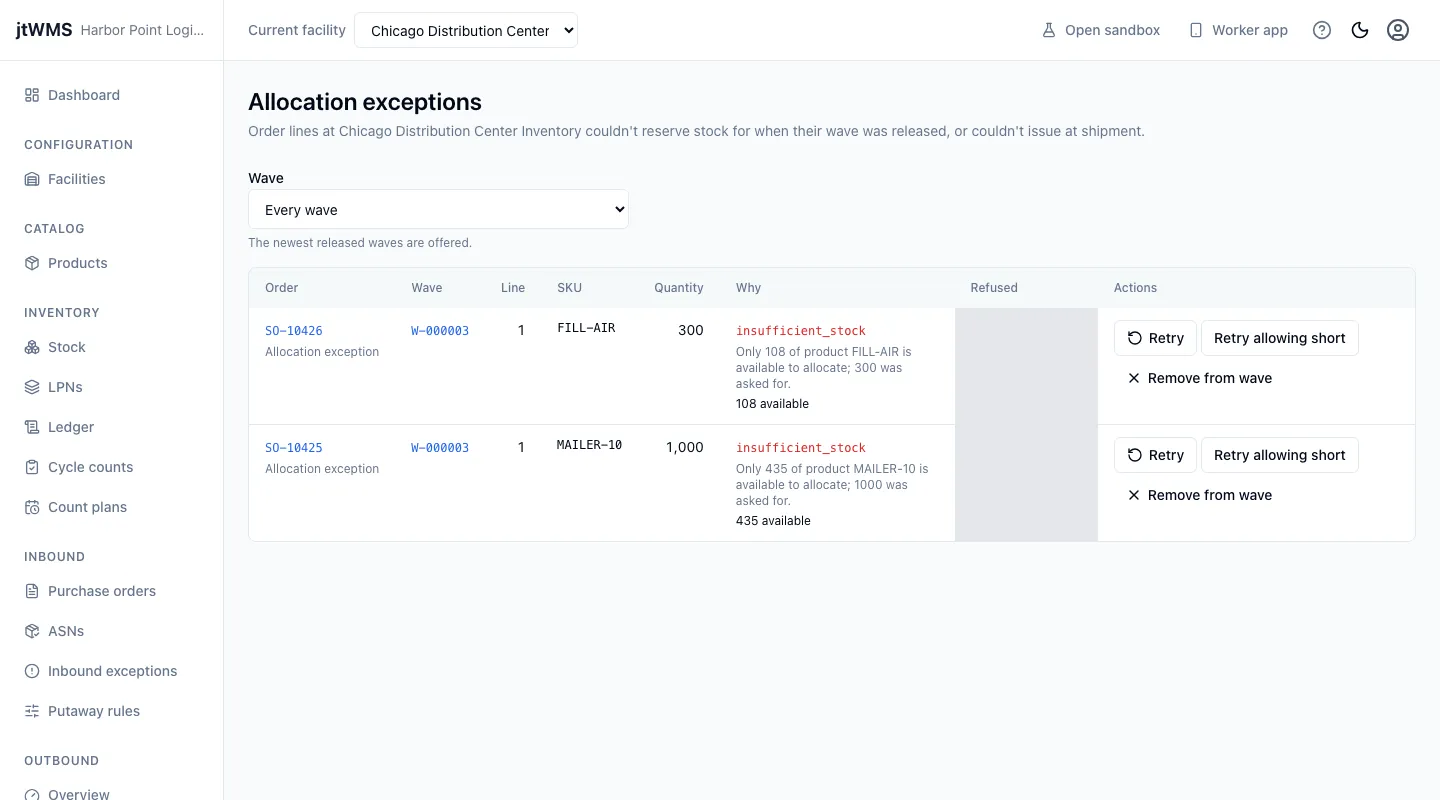
When a wave is released, stock is reserved for every line of its orders. A line whose stock couldn’t be reserved, for example because there is less on hand than it asks for, is an allocation exception, and its order shows Allocation exception. Open the list from Allocation exceptions under Outbound in the sidebar.
Before you start
Section titled “Before you start”- Allocation exceptions come with the Outbound feature, on the Pro plan and above.
- To see them you need
outbound.orders.readoroutbound.orders.manage, which every standard role holds. To retry lines and take orders out of waves you needoutbound.waves.manage, held by Tenant Admin and Warehouse Manager. Without it the buttons are hidden. - The list is per facility: it shows the facility chosen in Current facility at the top of the page.
Read the list
Section titled “Read the list”Each row is one order line, newest first, with:
- the Order (and its status now) and its Wave, each linking to its page;
- the Line, the SKU and the Quantity it asks for, in the product’s base unit;
- Why: the reason code, such as
insufficient_stock, the explanation, and for missing stock how much is available; - when it was Refused.
Narrow the list to one wave with Wave. A wave’s page links here with View the wave’s allocation exceptions when it has any.
Put a line right
Section titled “Put a line right”With outbound.waves.manage, a line of an order still being allocated offers:
- Retry: ask for the whole quantity again, once more stock is on hand or the reason is fixed.
- Retry allowing short: after you confirm, reserve whatever stock there is, even less than the line asks for. The order then ships short of the rest.
- Remove from wave: after you confirm, the order goes back to New, ready for another wave, and the stock reserved for its other lines is released.
A retried line leaves the list while Inventory answers, and the page says it is waiting. If the line is refused again, it comes back with the new reason. Once it has its stock, its order is Allocated, ready to pick.
Some rows offer no action:
- a line refused when its order shipped, because the stock it was to take was no longer held for it. The order has left, so put the stock right in Stock instead;
- a line of an order already being picked: it ships short.