Facilities
A facility is a physical site: a warehouse, a distribution centre or a fulfilment centre. Its zones, storage layout and equipment all belong to it, so creating a facility is the first step in setting up jtWMS.
Before you start
Section titled “Before you start”- Viewing facilities needs
warehouseconfig.facilities.read. Creating, editing and deleting them needswarehouseconfig.facilities.manage. - Tenant Admin and Warehouse Manager hold both. Operator and Read-Only API Client can view only.
The Edit and Delete buttons are shown to everyone who can open the page, but the action is
refused for users without warehouseconfig.facilities.manage.
Create a facility
Section titled “Create a facility”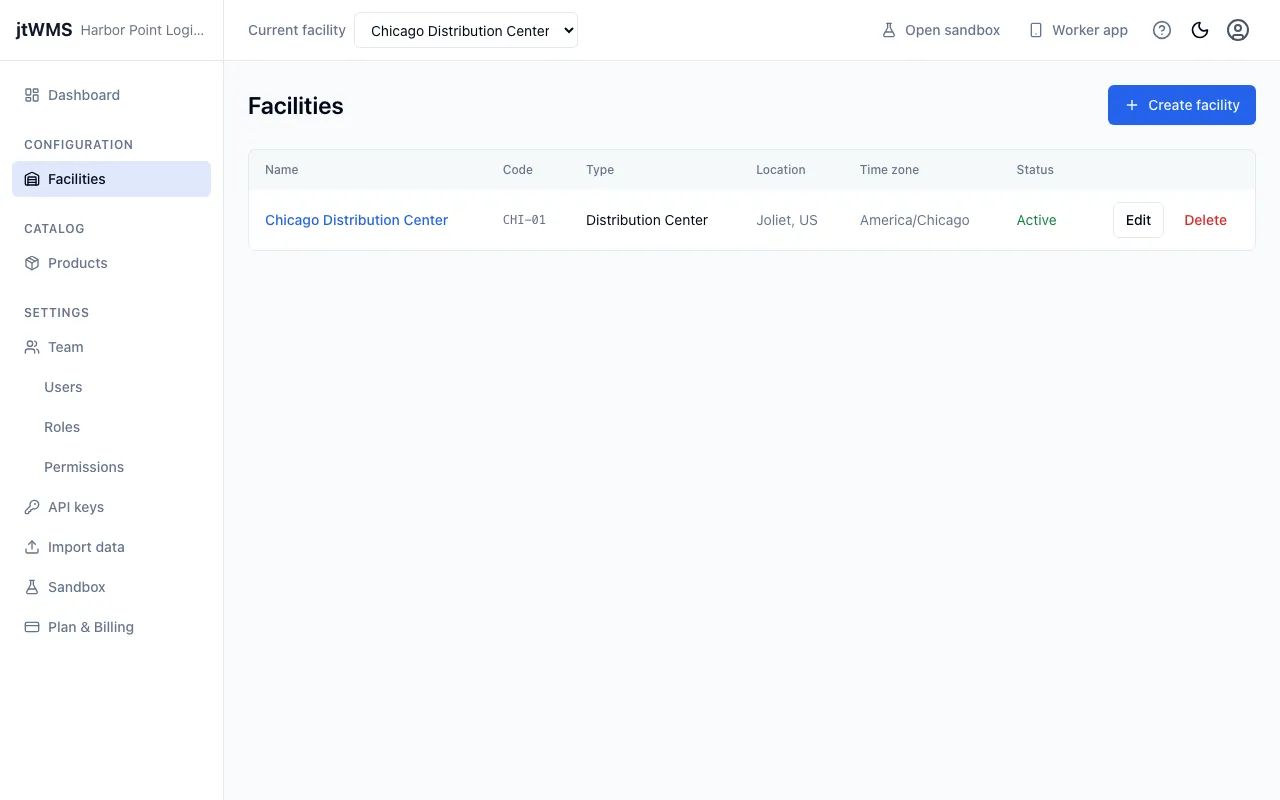
- In the sidebar, under Configuration, click Facilities.
- Click Create facility. If you have no facilities yet, click Create your first facility.
- Under Details, fill in:
- Name — required, up to 200 characters, such as
London DC. - Code — letters, digits and hyphens, up to 50 characters, unique within your organisation,
such as
LON-01. - Type — Warehouse, Distribution Center or Fulfillment Center.
- Name — required, up to 200 characters, such as
- Under Location, choose the Time zone the site works in. It starts as your browser’s time zone.
- Under Address, fill in:
- Line 1 — required, up to 200 characters.
- Line 2 — optional, up to 200 characters.
- City — required, up to 100 characters.
- State / Region — optional, up to 100 characters.
- Postal code — required, up to 20 characters.
- Country — a two-letter ISO country code, such as
GBorUS.
- Click Create facility.
The facility appears in the list. If another facility already uses the code, the form shows the error on Code.
View a facility
Section titled “View a facility”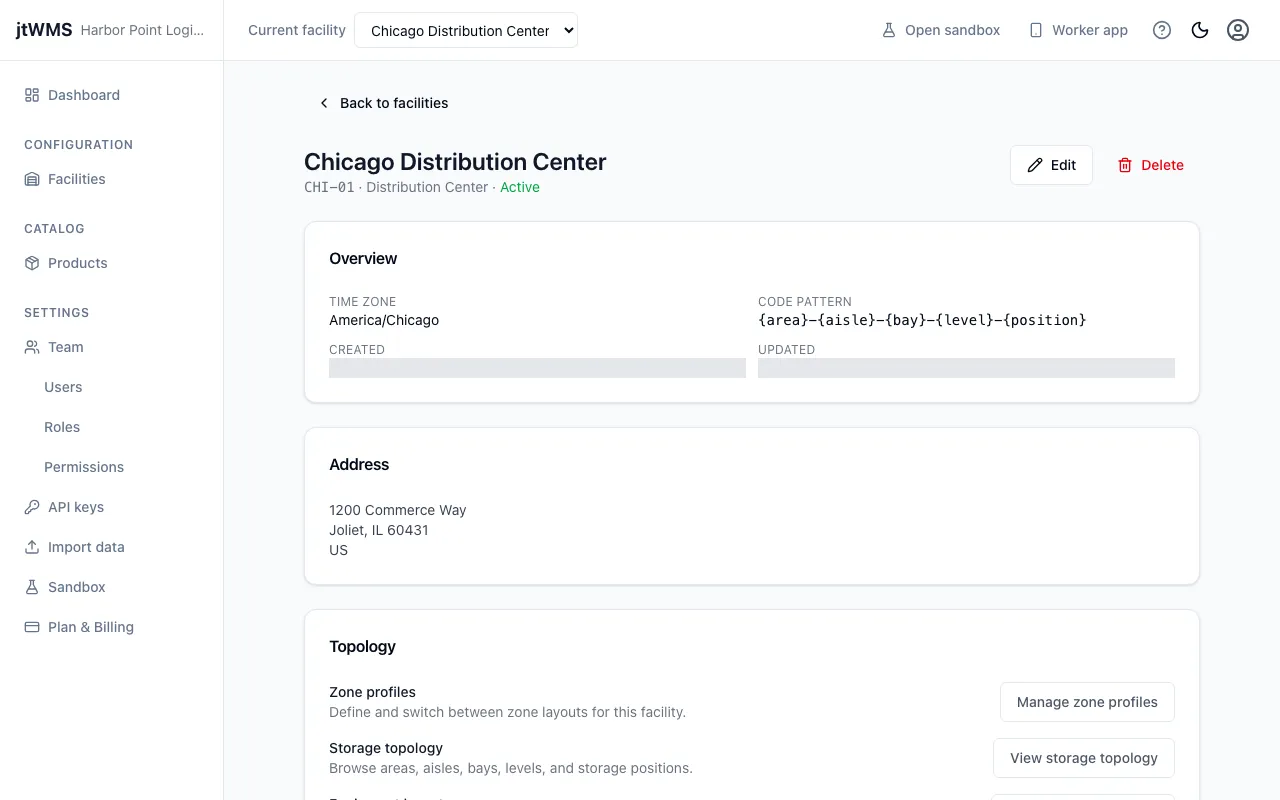
- On the Facilities list, click the facility’s name.
- The facility’s page shows:
- Overview — the time zone, the Code pattern its location codes are built from, and when it was created and last updated.
- Address.
- Topology — links to the facility’s zone profiles, storage topology, equipment layout, and import and export.
The code pattern can’t be changed in the app. See How location codes are formed.
Edit a facility
Section titled “Edit a facility”- On the Facilities list, click Edit on the facility’s row. On the facility’s page, click Edit.
- Change any field. The rules are the same as when you created it.
- Click Save changes.
Delete a facility
Section titled “Delete a facility”- On the Facilities list, click Delete on the facility’s row. On the facility’s page, click Delete.
- In the Delete facility dialog, click Delete facility.